Getting Started
This guide is for users who want to create their own admin project from Super Admin. If you are contributing to the Super Admin source repository itself, use the source repository section near the end.
Runtime
Super Admin currently requires Node.js ^20.19.0 || >=22.13.0. The source workspace, the create-super-admin package, and every generated project declare the same range.
Live Preview
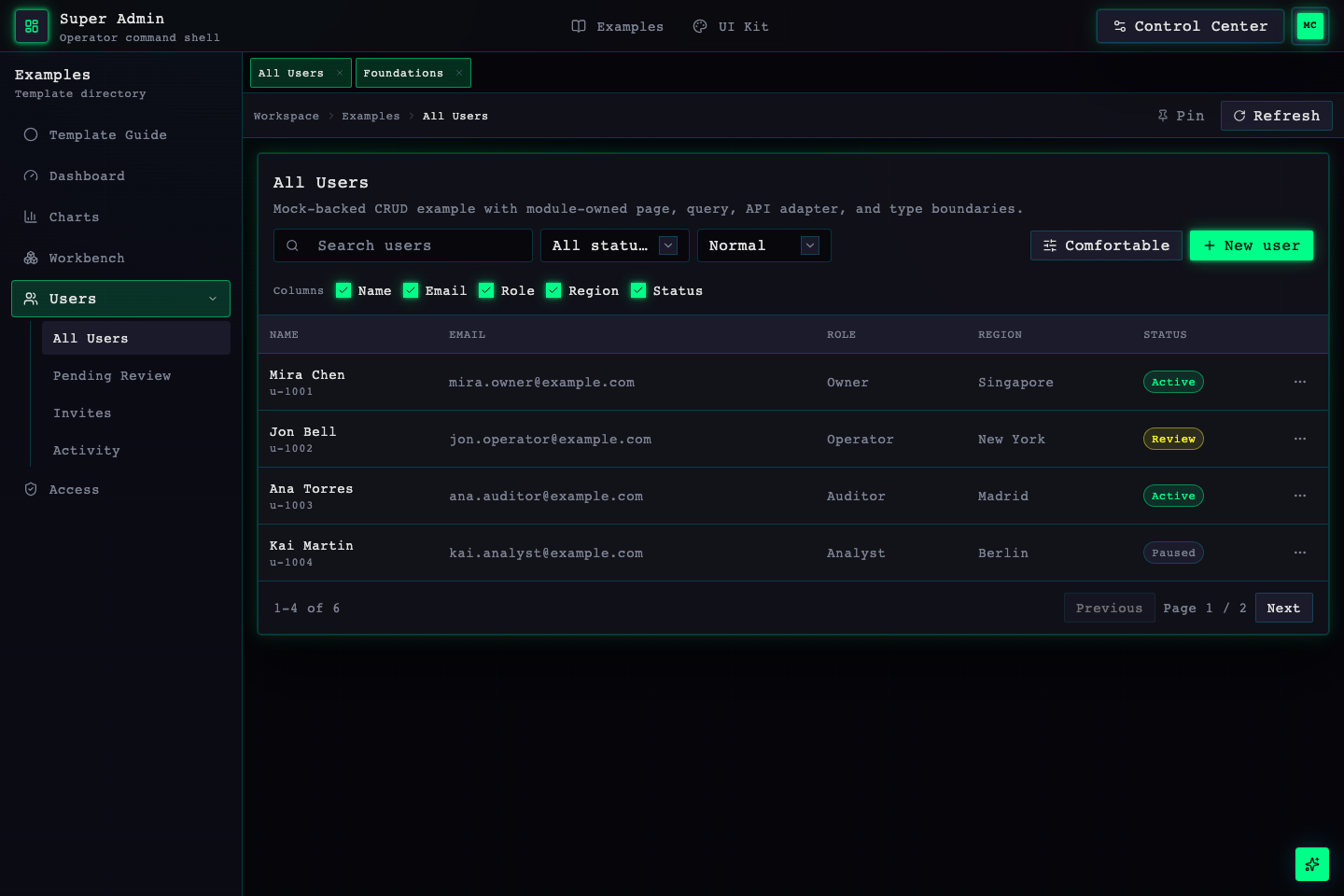
Open the complete backend-free admin demo. It is a static build of canonical apps/admin with mock data and requires no database, auth provider, or AI provider. Login credentials are shown on the page.
Create Your Admin App
Use the public npm starter:
npm create super-admin@latest my-admin
cd my-admin
npm install
npm run dev
Prefer pnpm:
pnpm dlx create-super-admin@latest my-admin --pm pnpm
cd my-admin
pnpm install
pnpm dev
To generate the optional ECharts example page in a non-interactive setup:
pnpm dlx create-super-admin@latest my-admin --theme base --charts echarts --pm pnpmInteractive setup asks whether to use ECharts. Selecting yes installs echarts and vue-echarts and generates a theme-adapted chart example page under Examples.
Select English as the default locale and omit all demonstration modules during generation:
pnpm dlx create-super-admin@latest my-admin --theme base --locale en-US --no-examples --pm pnpm--locale zh-CN|en-USselects the default locale; without--i18n, only that catalog is generated.--i18n --locale en-USkeeps both catalogs and the switcher while makingen-USthe default.--no-examplesremoves the Examples registration, example pages, API adapters, mock data, charts, and matching AI context together. It cannot be combined with--charts echarts.
The generated project is your application. It is intentionally smaller than this source repository and does not include release automation, maintainer AI workflow files, the docs site, or optional reference smoke tooling.
Generation uses the standard quality mode by default. It includes ESLint, Vitest, one representative starter contract test, and the complete quality commands:
pnpm lint
pnpm test
pnpm typecheck
pnpm build
pnpm check
pnpm check runs lint, test, typecheck, and the production build. If you intentionally want only the smaller typecheck/build baseline, use --minimal:
pnpm dlx create-super-admin@latest my-admin --theme base --minimal --pm pnpmMinimal output leaves no ESLint/Vitest config, dependency, script, or test file behind. The selected mode is recorded in super-admin.config.ts and the generated AI context.
Customize The Starter
Start with these areas:
src/modules/for feature*.manifest.tsfiles, example routes, and pages. A manifest is the single source for nav, routes, route metadata, and permissions.src/api/for API adapters that normalize mock data or your own API responses.src/api/mock/for replaceable mock data sources.src/modules/app-module-registry.tsfor generic registration validation, ordering, and default-entry derivation.src/modules/examples/examples.manifest.tsfor mounting and composing example feature manifests.src/modules/examples/examples.registration.tsfor the Examples default entry and legacy compatibility redirects.src/modules/module-registry.tsfor composing only the top-level registrations enabled in the current app.src/shell/layout-registry.tsfor typed layout component/preview registrations with a neutral fallback for unknown IDs.src/modules/auth/components/auth-recipe-registry.generated.tsfor installed-theme auth recipes with a neutral fallback for unknown profiles.AGENTS.mdandai-context/for the current quality mode, data flow, and real extension paths without requiring an AI provider.
The default starter does not require:
- backend server
- database or ORM
- auth provider
- AI provider
- fixed API response shape
- release, GitHub, Trellis, Codex, or Claude workflow tooling
Remove Examples
Examples is a removable feature slice, not an implicit shell, auth, or workspace dependency. See the Examples guide for the complete removal recipe. New projects can use --no-examples to have the CLI apply the same complete pruning during generation.
After removing the Examples registration:
- Example compatibility paths such as
/dashboard,/workbench,/access, and/users*disappear with it, so no dangling redirects remain. - Root routing, post-login navigation, and the last workspace-tab fallback automatically use the first remaining module. In the default project this is
/ui-kit/foundations. - If every top-level module is removed, the app uses the neutral
/workspacesurface.
Develop The Source Repository
Use this path only when you are contributing to lineo7387/super-admin itself, changing packages, docs, release scripts, or the template source.
Prerequisites
- Node.js
^20.19.0 || >=22.13.0. - pnpm, matching the root
packageManagerfield.
Install dependencies:
pnpm installRun the admin app:
pnpm devRun the documentation site:
pnpm docs:devBuild everything in the workspace:
pnpm buildSource Repository Map
apps/admin/src/modules/examples/for copyable example routes.apps/admin/src/modules/ui-kit/for shared primitive showcases.apps/admin/src/api/for module API adapters.apps/admin/src/api/mock/for mock API data sources.packages/ui/for shared admin UI primitives.packages/core/for shared frontend contracts.packages/theme/for built-in design profiles and token helpers.
Source Repository Boundary
The source repository includes maintainer-only material for developing and publishing Super Admin. That material must stay out of generated starters and is not required to use Super Admin in your own app.
Projects generated by create-super-admin should still avoid required:
- backend server
- database or ORM
- auth provider
- AI provider
- fixed API response shape
- CLI generation or release tooling
Those surfaces can be added later, but they should not be required to run or customize the frontend template.